• UserSchool-age kids
  • Looks likeDeck of cards

Backpack Defender

A design proposal for a motion alarm that guards a kid's backpack or locker, with a face, a voice and a big glowing off button.

The idea: a pastel pebble with a kawaii face clips onto a backpack or sits on a locker shelf. When a hand reaches in, a motion sensor wakes it, the eyes flash and it plays a ringtone until someone hits the big button. The kid picks the ringtone and the button's colour from a phone, and writes their name on the back.

76 × 51 × 22.5 mm
About the size of a deck of cards
Carabiner loop
Designed to clip onto a backpack strap
6 ringtones
Plus 4 chirps, on a 20 mm speaker
2 × AAA + switch
A real off switch for teachers
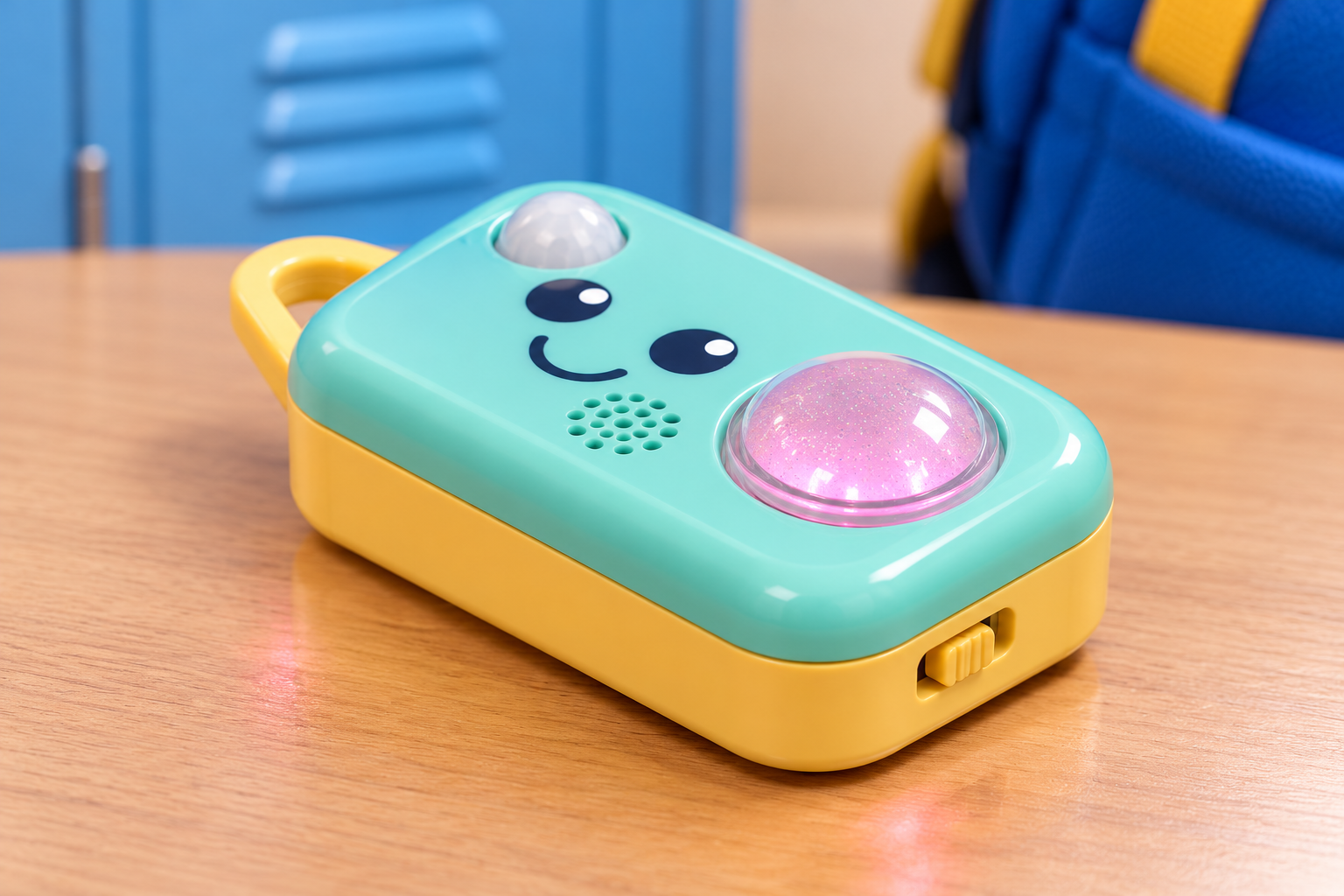
Render: a mint and yellow pebble-shaped gadget on a school desk, with a kawaii face, a white sensor dome, a speaker grille, a clear glitter button glowing pink, a yellow loop and a slide switch on its end
An AI render of the CAD model. This is a concept, designed down to the circuit board and firmware but not yet built. The pink glow is the colour LED under the clear button.

Whose bag is it, anyway?

The kid owns it. The teacher has to be able to switch it off.

The owner, 6 to 12

Their snacks keep "wandering off"

It's designed to clip onto the backpack with a real carabiner, or lie flat on a locker shelf. They'd pick the ringtone and the button colour from a phone, then write their name on the back in marker so everyone knows whose guard this is.

The teacher (and the parent)

One slide and it's quiet

A slide switch on the end cuts the power completely, so nobody has to pry out a battery. The big glowing button silences an alarm in one press, so anyone can see how to make it stop.

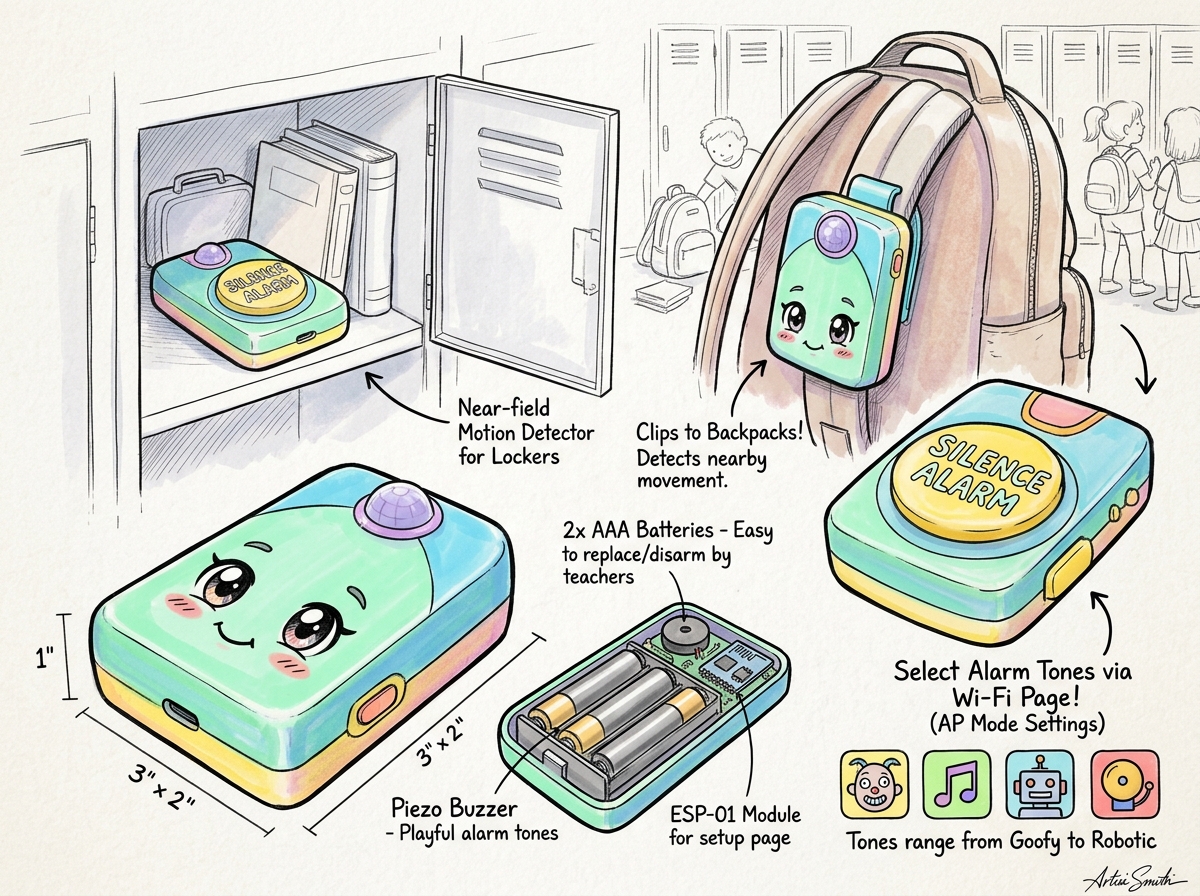
Concept art: a mint, butter-yellow and lavender pebble with a kawaii face, shown in a locker and clipped to a backpack
"Hands off my snacks!"A hand reaches into the backpack, the eyes start flashing, and Für Elise plays until someone hits the big button.

Switch it on and set it off

Try it here. Slide the power on, pick a ringtone and a button colour, then reach for the backpack. Tap the big button to silence it.

Top view of Backpack Defender: loop on the left, sensor dome, two eyes with light dots, smile, speaker grille, the big clear button and the power switch on the right end

Tap the switch on the right end, or the big button.

Off

Ringtone

Button colour

It's switched off. Slide the power on.

These are the firmware's real sounds: Phil Burk's Mobileer ringtone engine, rendered on a Mac at 22.05 kHz with the same code and data the board plays. Through the real 20 mm speaker they'll sound thinner. The lights are drawn here and follow the sound's loudness, as the firmware does. The real quiet time after a silence is 60 s; here it's 5 s.

43D model in Solidcraft

A pebble with a face

The enclosure, modelled in Solidcraft around the real circuit board inside. Drag to spin it.

  1. 22.5 mm thinThe AAA cells sit in a cradle in the bottom plate, and the silence switch is a 4.3 mm low-profile part. A rounder top (R7.5) and a shadow-line reveal at the lid seam make it look finished.
  2. Triangular carabiner loopAbout 23 mm long, 6 mm thick, with a hole that fits a Ø12 mm circle. It's joined into 35 mm of the end wall so a yank on the backpack won't snap it off.
  3. Face with lights and a voiceA 19-hole flower grille over a 20 mm speaker, and the eye highlights are white light pipes over two LEDs.
  4. Clear glitter buttonA big captive button in clear plastic with glitter or a dichroic finish. An RGB LED under it lights it in the owner's colour.
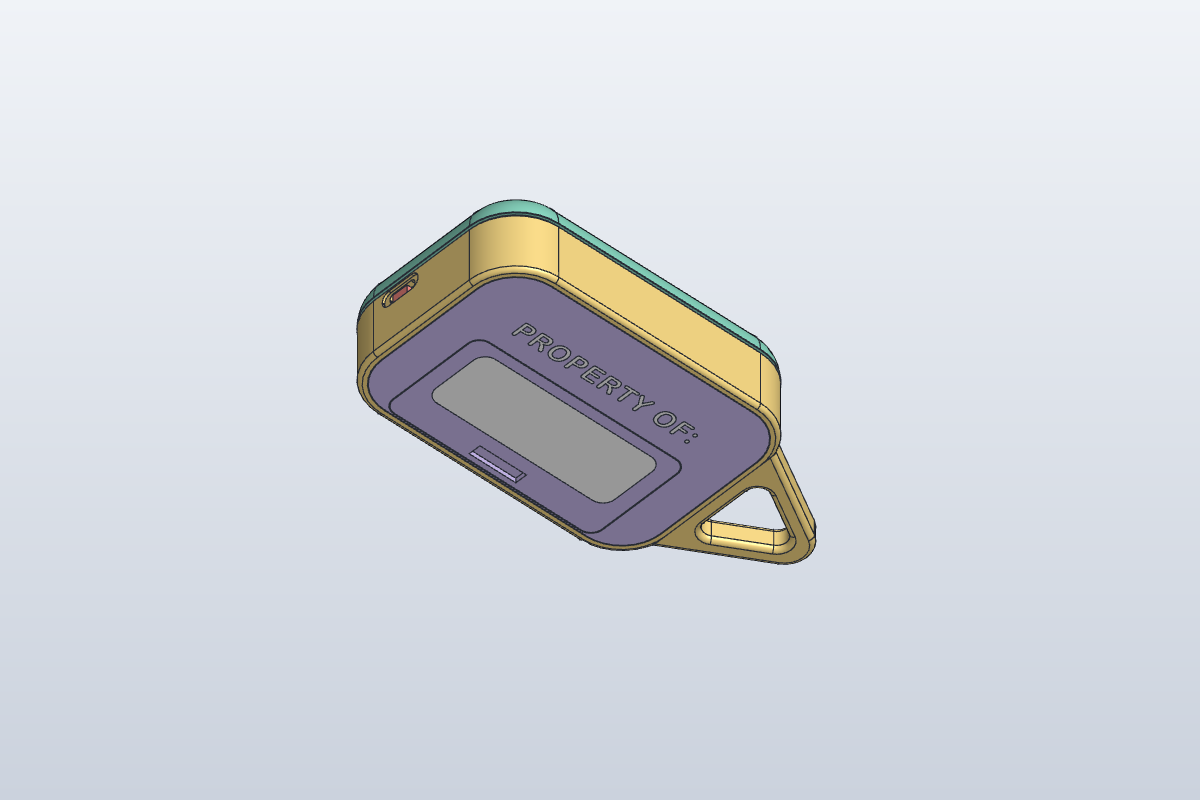
  5. Power switch and name plateThe slide switch's lever sits flush in a thumb pocket on the right end. On the back, "PROPERTY OF:" in white with a write-on panel for a dark marker.
5Electronics in KiCad

What's inside

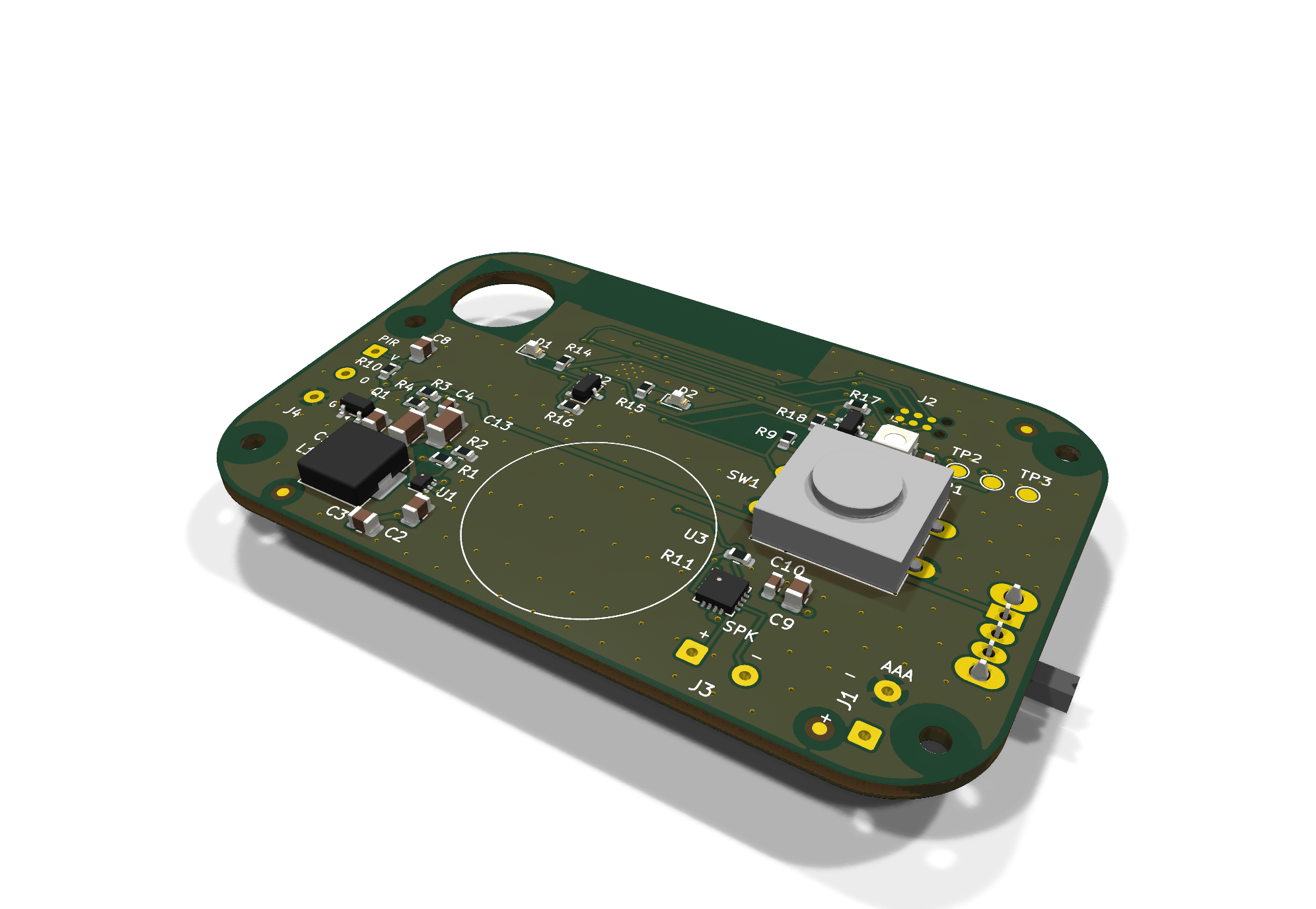
One 70 × 45 mm two-layer board. The ESP32 sits on the underside so the top is free for the eye LEDs, and the motion sensor drops through a hole in the board so its dome clears the thin lid.

0 / 0DRC violations and unrouted connections
41Parts on the board, plus the cells, PIR and speaker wired to it
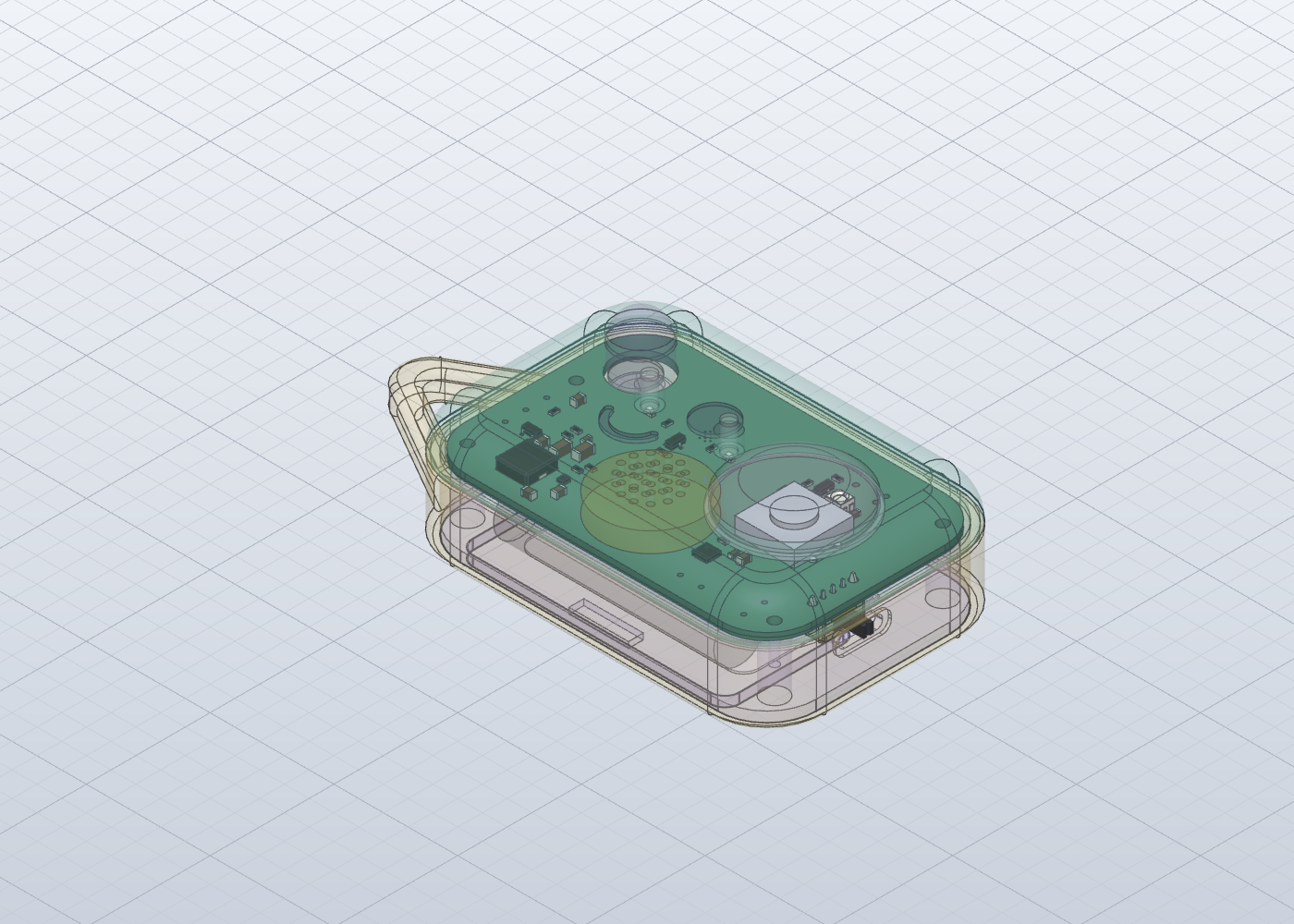
PASSFit check of the real routed board in the case, closest gap 0.11 mm
Routed in KiCad with Freerouting
SW2 · C&K OS102011MA1Q

A real off switch

A right-angle slide switch in series with the battery, so off means off. Its lever comes out through the end wall.

U3 · MAX98357A + LS1

A voice, not a beep

An I2S class-D amp drives a 20 mm, 8 Ω micro speaker, so it can play real ringtones instead of piezo beeps.

D1–D2 · white 0603 + Q2

Eyes that flash

Two white LEDs under the eye light pipes, switched together by one MOSFET. A pull-down keeps them dark at boot.

LED1 · WS2812B-2020 + Q3

Button glow

A 2 mm RGB LED under the clear button. A P-FET cuts its power while it sleeps, since a dark WS2812 still draws about 1 mA.

U2 · ESP32-C3-WROOM-02

The brain

Hosts the setup page over its own Wi-Fi, plays the ringtones over I2S and sleeps between alarms, waking on the PIR or the button.

C12–C13 · 2 × 47 µF

Tired-battery insurance

Bulk capacitance on the battery rail, asked for by the firmware, so Wi-Fi bursts and speaker peaks don't brown out the chip on old AAAs.

Full bill of materials (… lines)
Loading the parts list…
7Firmware in PlatformIO

The firmware

A PlatformIO project for this board. It builds cleanly, but it hasn't run on real hardware yet.

Sounds

Ringtones from a Palm Treo synth

The hosts didn't like our first homemade synth, so the alarms are six ringtones they picked from Phil Burk's Mobileer set. They play on his General MIDI engine (Apache-2.0) at 22.05 kHz with 16 voices, and the four chirps (awake, silenced, saved, low battery) are tiny MIDI files on the same engine.

Builds clean

855 KB of flash, 49 KB of RAM

pio run builds with 0 warnings for the board and for a plain ESP32-C3 dev board stand-in. That's 43.5 % of the app slot and 15 % of RAM, with room to spare.

Pins from the board

Code and board can't disagree

pins.h is generated from the KiCad design script before every build, and the build stops if a pull-up the code relies on disappears from the board.

Setup

Hold the button, open your phone

Hold the button while switching on and it starts a BackpackDefender-XXXX hotspot with a captive page: ringtone tiles that preview on the device, colour swatches or Rainbow, brightness, volume, alarm length and quiet time.

How we got here

Backpack Defender was the first product on Product Speedrun, a show where two hosts take a randomly rolled product idea from brainstorm to a showcase-ready concept.

Episode 001 ended with a first version, Rev A: concept art, a CAD model and a routed board. The hosts voted to keep building, and set the goals for the second version, Rev B (this page): slimmer and slicker, with a carabiner loop, a real off switch, a speaker instead of a beeper, eyes that flash and a name plate on the back. Rev B also got the first firmware.

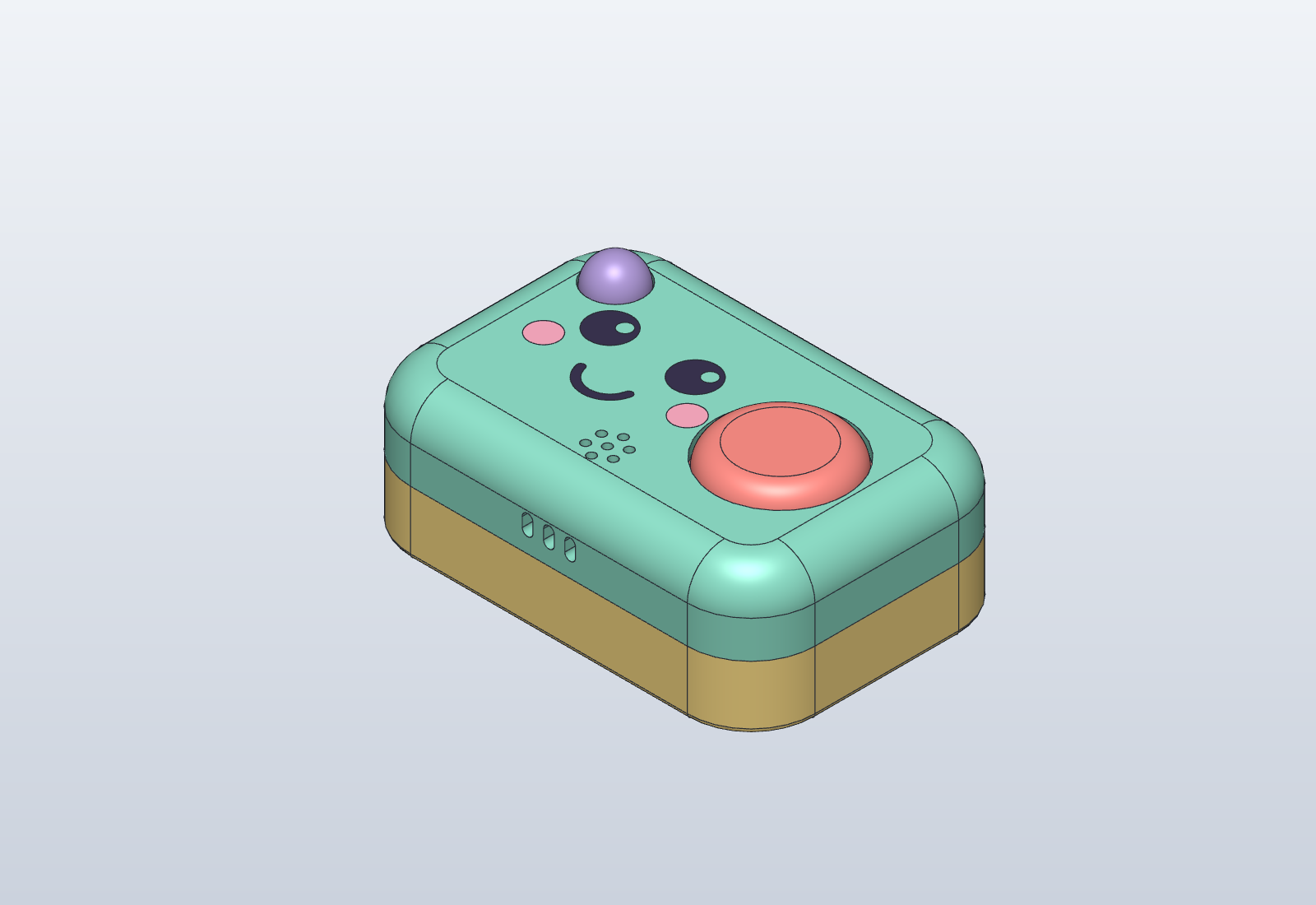
  1. Rev A CAD model: the mint and yellow pebble with a coral button
    Rev A · Episode 001 · Oct 2026

    The kawaii pebble

    • 76 × 51 × 26 mm, 2 × AAA in a holder; pull a cell to disarm
    • ESP32-C3, MAX98357A amp and a 12 mm piezo
    • AM312 PIR dome, big coral silence button, small charm loop
    • Five alarm voices, chosen on a phone (designed, not yet coded)

    Verdict: keep building. See the Rev A page

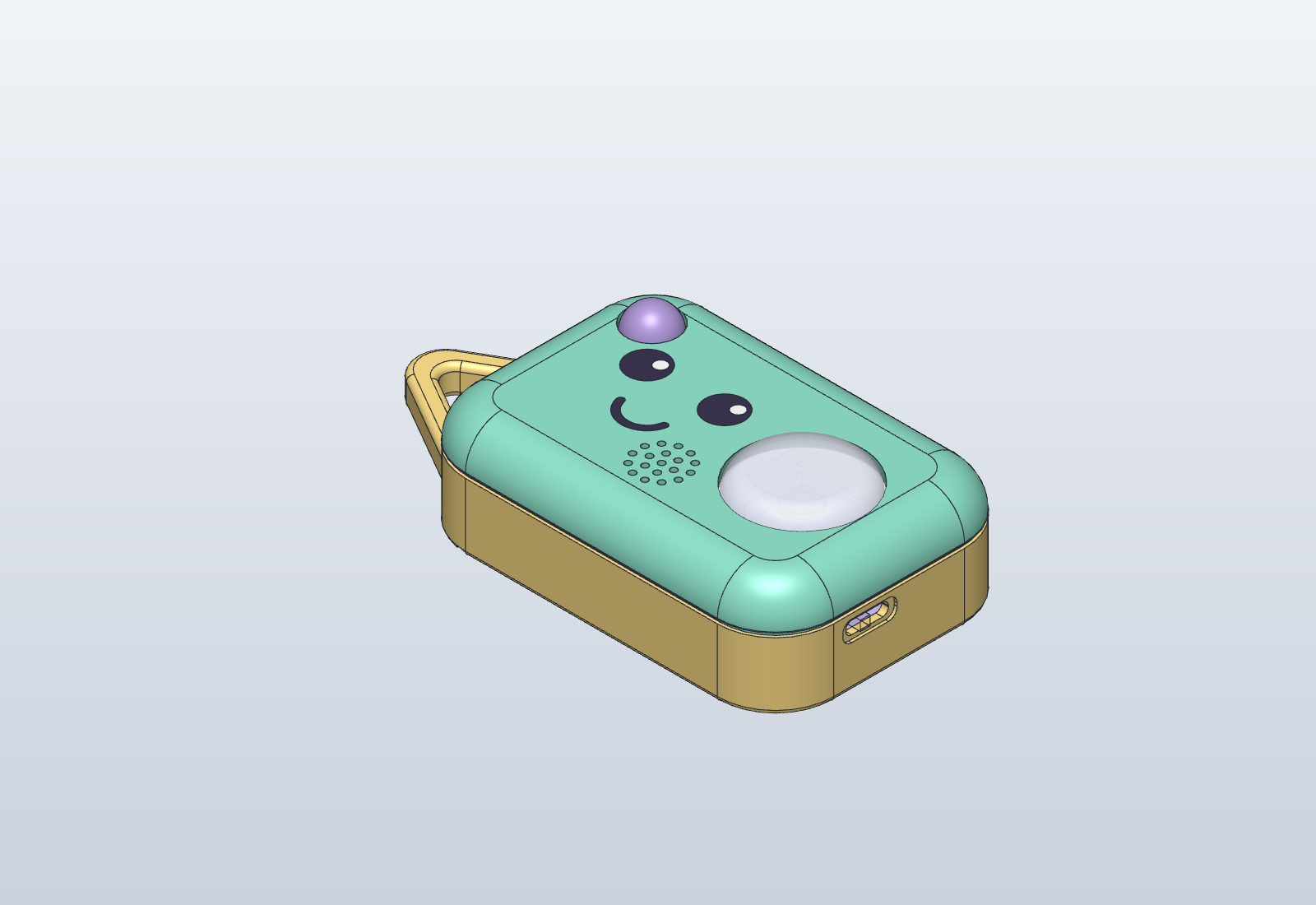
  2. Rev B CAD model with the triangular loop and clear button
    Rev B · This page · Nov 2026

    Slimmer, louder, lit up

    • 22.5 mm thick (−13 %), rounder shell with a reveal line
    • Triangular loop that takes a carabiner
    • Slide switch that cuts the battery
    • 20 mm speaker instead of the piezo, and six Mobileer ringtones
    • White LEDs in the eye dots, flashing with the alarm
    • Clear glitter button lit by an RGB LED; pink cheeks gone
    • "PROPERTY OF:" write-on plate on the back
    • First firmware: builds clean, not yet on hardware
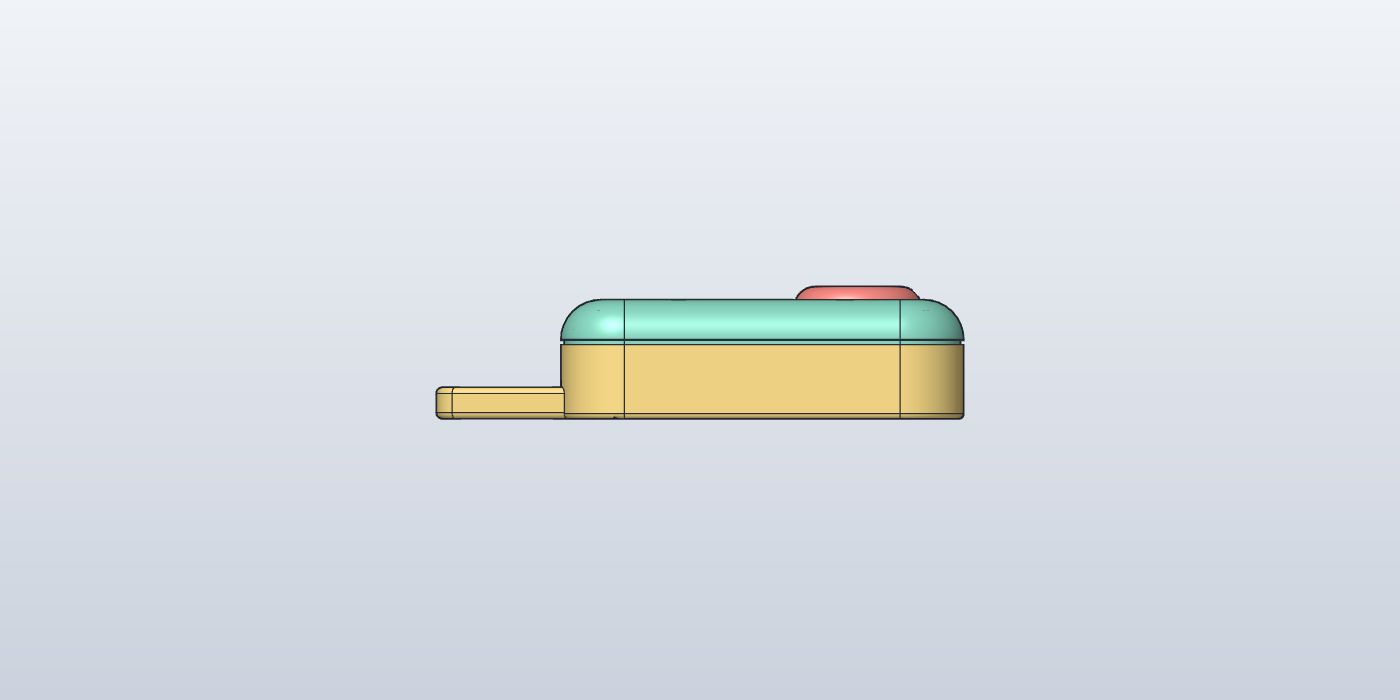
  1. Side profile of the thinner Rev B enclosure
    ThinnerThe 22.5 mm side profile (before the clear button)
  2. The back of the enclosure with the PROPERTY OF name plate
    The back"PROPERTY OF:" and the write-on panel
  3. 3D render of the Rev B circuit board
    ElectronicsThe routed board
  4. The real routed board placed inside the enclosure for the fit check
    Fit checkThe real board in the case: pass

What we still don't know

The design is complete on paper. Here's what we'd still answer before anyone orders a board or cuts a mould.

  • Prototype

    Designed, checked, never built

    The board is DRC-clean and fits the case, and the firmware compiles, but nothing has been made or flashed. Still to check on the bench: waking from deep sleep on the PIR and button, the sleep current (the boost converter's own draw is the unknown), and the setup page on iPhone and Android.

  • Sound

    Do the ringtones survive a 20 mm speaker?

    The previews above come from a Mac. On the device, expect less bass and sparkle. The foam seal under the speaker is assumed, not modelled, and the engine's CPU use on the C3 is an estimate (20–35 % with all 16 voices) until the firmware logs the real number.

  • Lights

    Are the eyes bright enough in daylight?

    White LEDs need about 2.9 V and the board runs at 3.3 V, so there's little headroom and brightness will vary by batch. The LEDs and light pipes need a daylight test together.

  • Feel

    Can a kid's thumb move the switch?

    The switch lever ends flush with the wall, in a 0.6 mm pocket. If it's too hard to slide, it needs a press-on cap.

  • Looks

    What shows through the clear button?

    Through clear plastic you can see the black switch and the board. Glitter hides them best; a dichroic finish would need a white disc underneath.

  • Enclosure

    How does it stay together?

    The lid and base aren't fastened yet, the battery door has no latch, and the wires to the PIR, speaker and cells need routing and strain relief.

  • Parts

    Part numbers to confirm

    The part numbers for the white LEDs, the 47 Ω resistor and the low-profile 12 mm switch need checking against real parts before ordering.

  • Product

    Thinner still means a LiPo

    About 18 mm is possible with a flat LiPo and USB-C charging, but that gives up the AAA cells teachers can pull. The power switch now covers part of that.

Build on it

Everything behind Backpack Defender Rev B is open: the 3D design, the KiCad boards, the firmware and the notes. Download it, change it, make it, even sell it. All we ask is a credit and a link back.

Open the project on GitHubRev A (the episode)The build tools

Continue it with an AI agent

Paste this into Claude Code, Codex, Cursor or any agent that can run commands. It fetches just this project and the tools, reads the notes in the right order, and asks you before it changes anything.

Hardware under CERN-OHL-P v2, words and images under CC BY 4.0, code under MIT.

Get each run by email

A short diary of every episode: the roll, the turns the idea took, and the board at the end. One email per episode.